Blender 5.3 Puts a captured Site in the Same File as Your Model
A site survey used to arrive as photographs, a point cloud, or a mesh that took days to clean. None of those sat comfortably next to a design model under the same lights. Blender 5.3, released on 10 November 2026, changes that in a practical way. You can now import a 3D Gaussian splat, keep it in the same file as your building, and render both together in Cycles, EEVEE or Workbench.
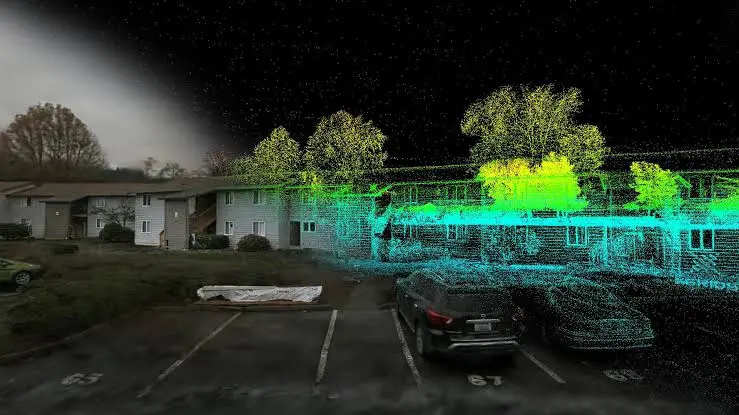
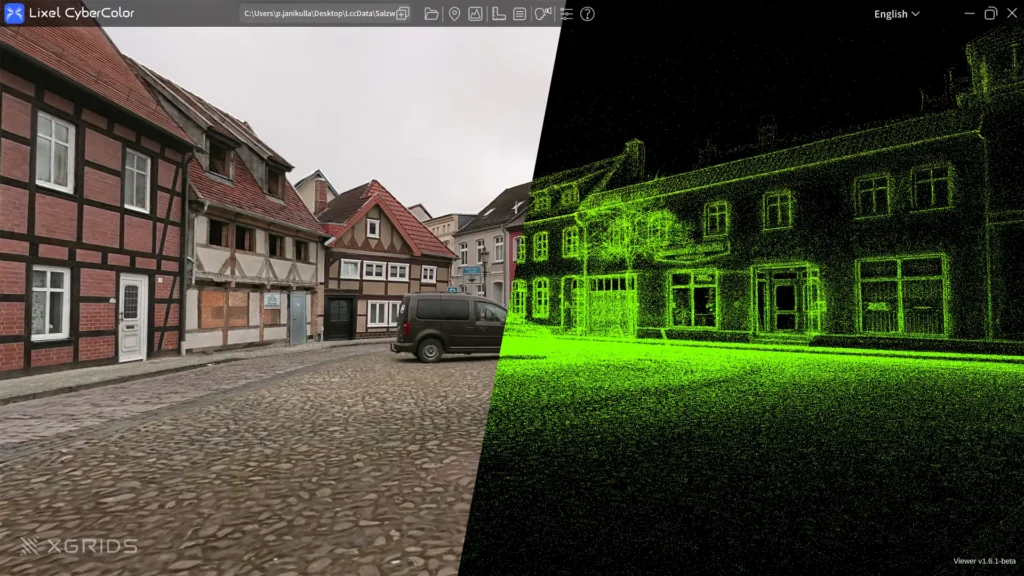
A Gaussian splat is not a mesh. It is a dense field of soft, transparent blobs reconstructed from photographs or video. Together they can describe a real place, including materials, fine detail and transparency, without you having to model the surroundings. Until this release, most of that work lived in separate viewers. The official Blender 5.3 notes now put the capture inside the scene.
What you can actually do today
Import is straightforward. Blender 5.3 reads splats from PLY and SPZ files, and also from glTF and USD. Drag a supported file into the viewport and confirm the import. The data is stored as a point cloud with a new type, so Geometry Nodes can process it. There are new nodes for this, including Set Point Cloud Type and Import SPZ. The existing Import PLY node now detects a splat file and outputs a point cloud rather than a mesh.
By default the splat renders with an emissive shader, using the radiance stored in the capture. That is the honest look of the original photographs: the lighting is baked in. If you need the capture to respond to a new sun or an interior lamp, the release notes describe a basic path. Open the material and replace the Emission node with a hard-surface BSDF, such as Diffuse. Blender estimates a normal from the smallest scale of each splat. The developers call this support rudimentary, and that word is worth taking seriously.
What it means in practice
For a student, this is a way to practise context without a full photogrammetry-to-mesh pipeline. Capture a courtyard, a street or a room, or use a publicly available splat, and place a massing study inside it. You can learn camera, scale and lighting against a real place rather than an empty ground plane. The Blender developers note that example captures can be made with professional tools, or even with a phone.
For an architect or visualiser, the value is earlier, more honest context. A villa proposal can sit in a captured garden. A workplace interior can be tested against a scanned lobby. You still model the design with care. The splat does the surrounding work that used to be a painted backplate or a heavily retouched photograph.
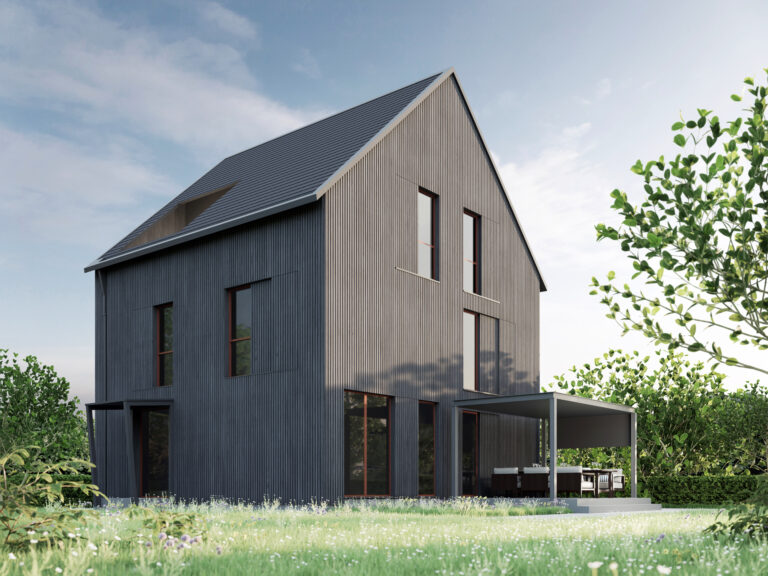
That distinction matters on projects where the setting carries as much weight as the building. When we visualise a house such as Island Villa, the question is rarely the object in isolation. It is how the design meets the ground, the existing fabric and the light of that place. A splat will not replace a measured survey or a finished model. It can, however, get a captured context into the same file much earlier.
The limits you should plan for
Export of Gaussian splats is not supported in 5.3. If your pipeline needs to leave Blender, keep the original PLY, SPZ, glTF or USD file.
Performance is not finished. The developers say so plainly. In EEVEE the first implementation can look noisy, so you may need to raise the sample count. In Workbench, set Viewport Shading lighting to Flat, or the preview will not look as you expect. Cycles traces rays through the splats rather than projecting them as camera-facing cards, which keeps reflections and indirect light working, but the result can differ slightly from rasterised splat viewers. Most captures were trained with the raster approach in mind.
Colour is another watch point. Most authoring tools store splat radiance in sRGB. Cycles and EEVEE work in linear space. The official notes warn that this can show up in areas of low opacity and high radiance. Applying object transforms to a splat is also incomplete: scale, rotation and spherical-harmonic attributes are not fully handled yet.
Use the tool with those limits in view. Keep the design model as the source of truth. Treat the splat as context, and treat relighting as a first pass, not a finished lighting match.
A wider shift, not only a Blender feature
Blender is not alone this week. Chaos also released Corona 16, which adds the option to relight imported Gaussian splats with scene lighting, along with a clipping mask and support for the compressed SPZ format. The same idea is landing in production renderers used on commercial visualisation work. The useful question is no longer whether captured scenes belong in a visualisation file. It is how carefully you light them, crop them, and keep them from competing with the design.
How to start
If you already have Blender, update to 5.3 and try a single file. The official 5.3 overview and the rendering release notes are the right place to check behaviour, formats and limits. Import one splat. Place a simple model in it. Render once with the default emissive look, then once with a diffuse material and a light you control. Look closely at the edges, the glass, and any area where the capture meets your geometry. That comparison will tell you more than a feature list.
For a deeper account of how EEVEE and Cycles handle splats, including why relighting is still early, the Blender developers’ post is worth reading in full.
If you are planning a visualisation that has to sit honestly in a real place, Pulse Design can help you work out what should be modelled, what can come from a capture, and what still needs a photograph. The tools are moving quickly. The judgement about context is still yours.
Sources
Blender 5.3 release overview: https://www.blender.org/download/releases/5-3/
Press release: https://www.blender.org/press/blender-5-3-release/
Rendering release notes: https://developer.blender.org/docs/release_notes/5.3/rendering/
Developers’ post on Gaussian splats: https://code.blender.org/2026/10/splatting-the-gaussians-into-blender/
Corona 16 official Chaos notes: https://documentation.chaos.com/space/CRMAX/1436221661/16.0.0